Account reports
Review your finances through Profit and Loss, General Ledger, Trial Balance and Balance Sheet reports.

Review sales, costs and profit alongside receivables and payables. Move from your financial overview to the individual records behind it.
Explore the reports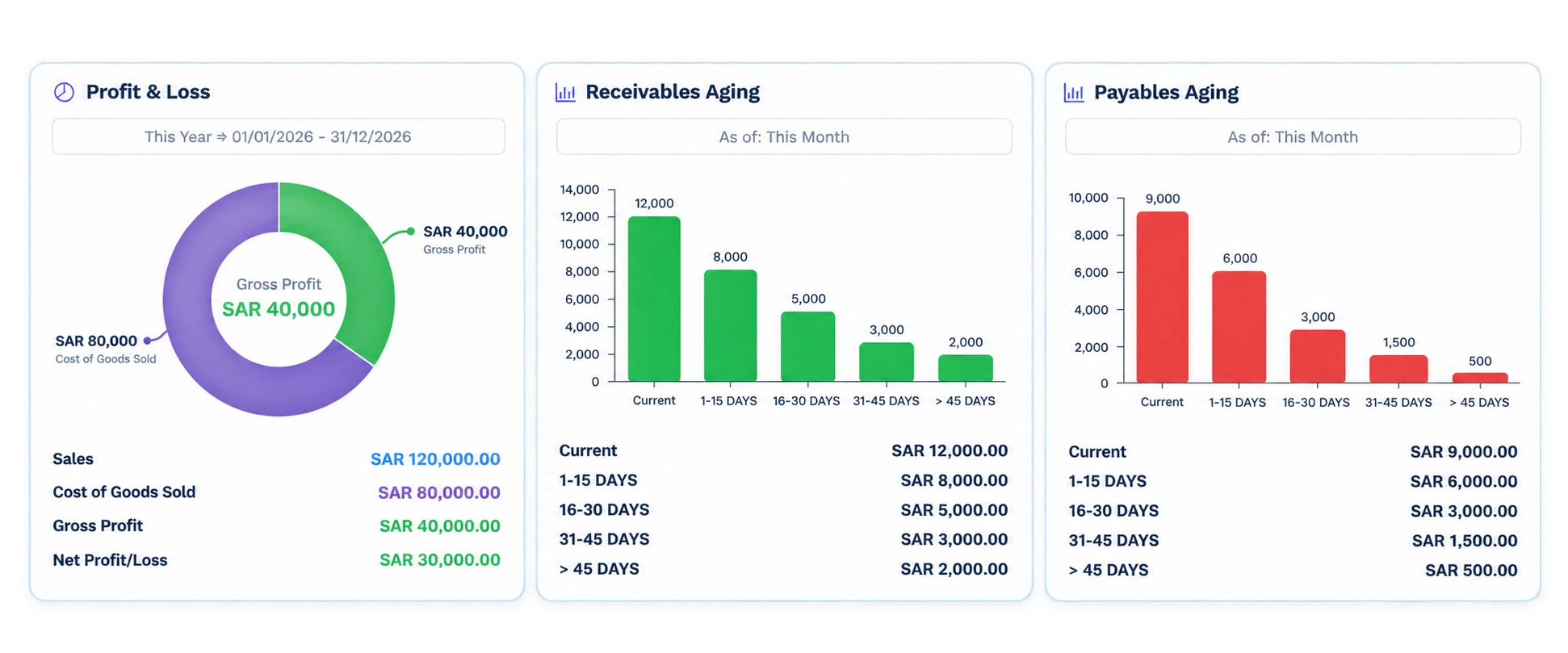
Review sales, cost of goods sold, gross profit and net profit or loss.
See customer balances grouped from current amounts through older aging bands.
Review supplier balances across the same age bands to understand your payable position.
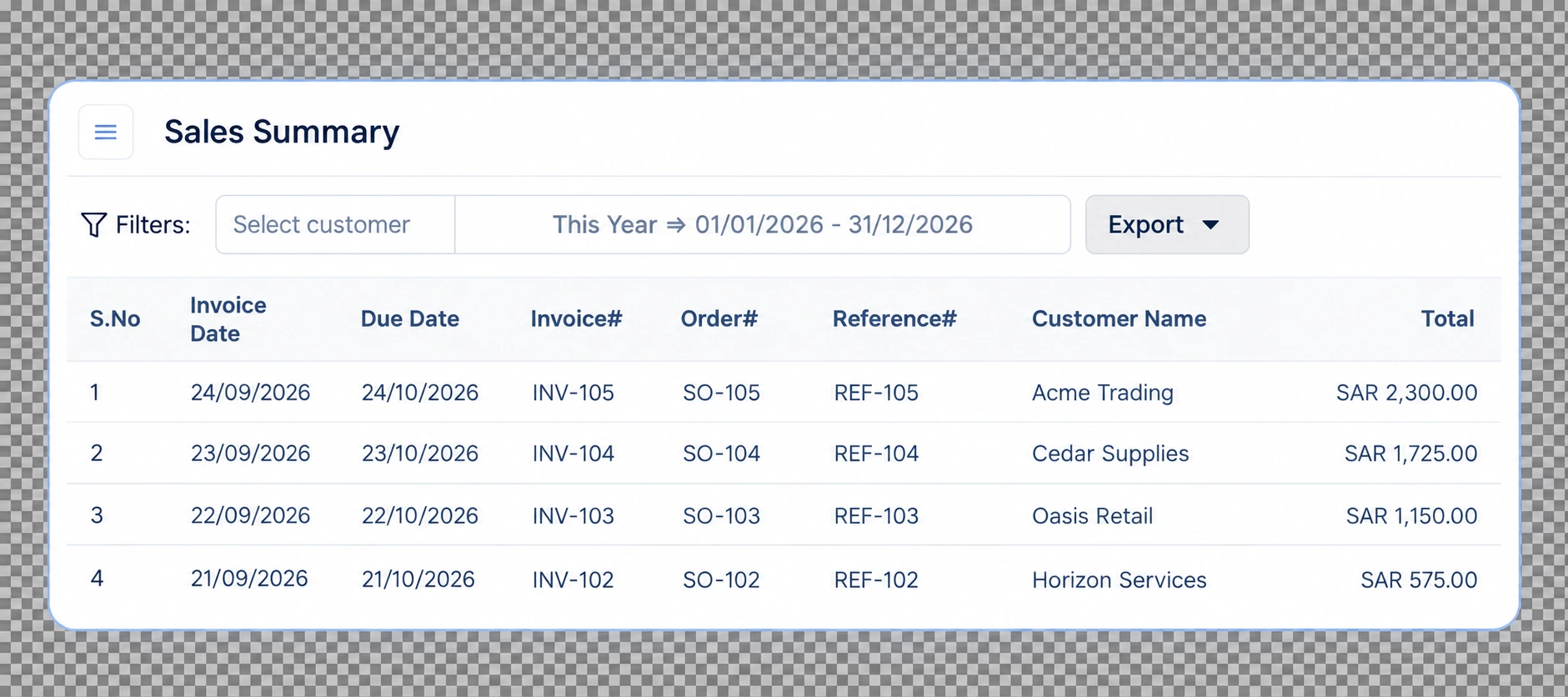
Review invoice dates, due dates, customers and totals together. Order numbers and references help you identify the records behind each sale.
Filter by customer and reporting period to focus on the sales you want to review.
Export the report for further review, with invoice and order references kept alongside the amounts.
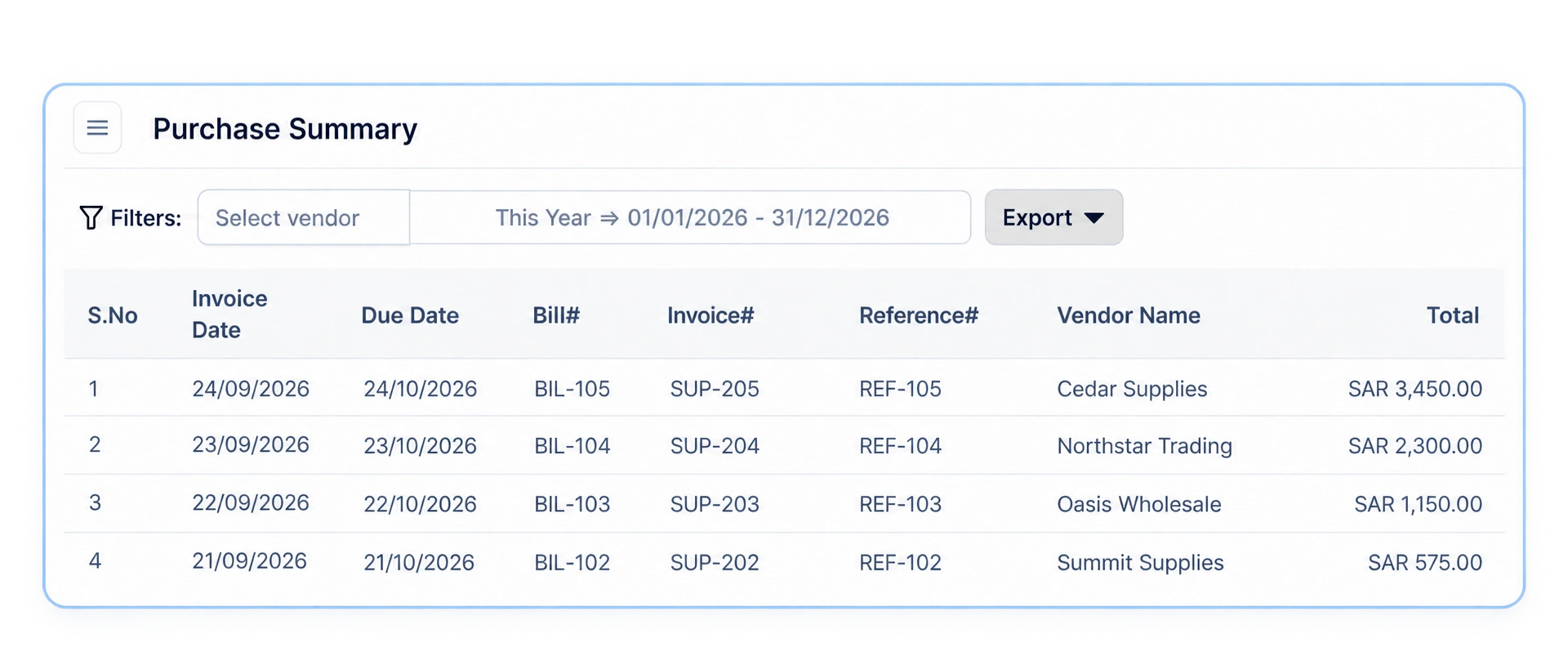
Bring vendor names, bill numbers, supplier invoice references and amounts into one report. Review the dates and due dates associated with your purchases.
See your internal bill number and the supplier’s invoice number in separate columns.
Use the vendor and date filters, then export the purchasing records relevant to your review.
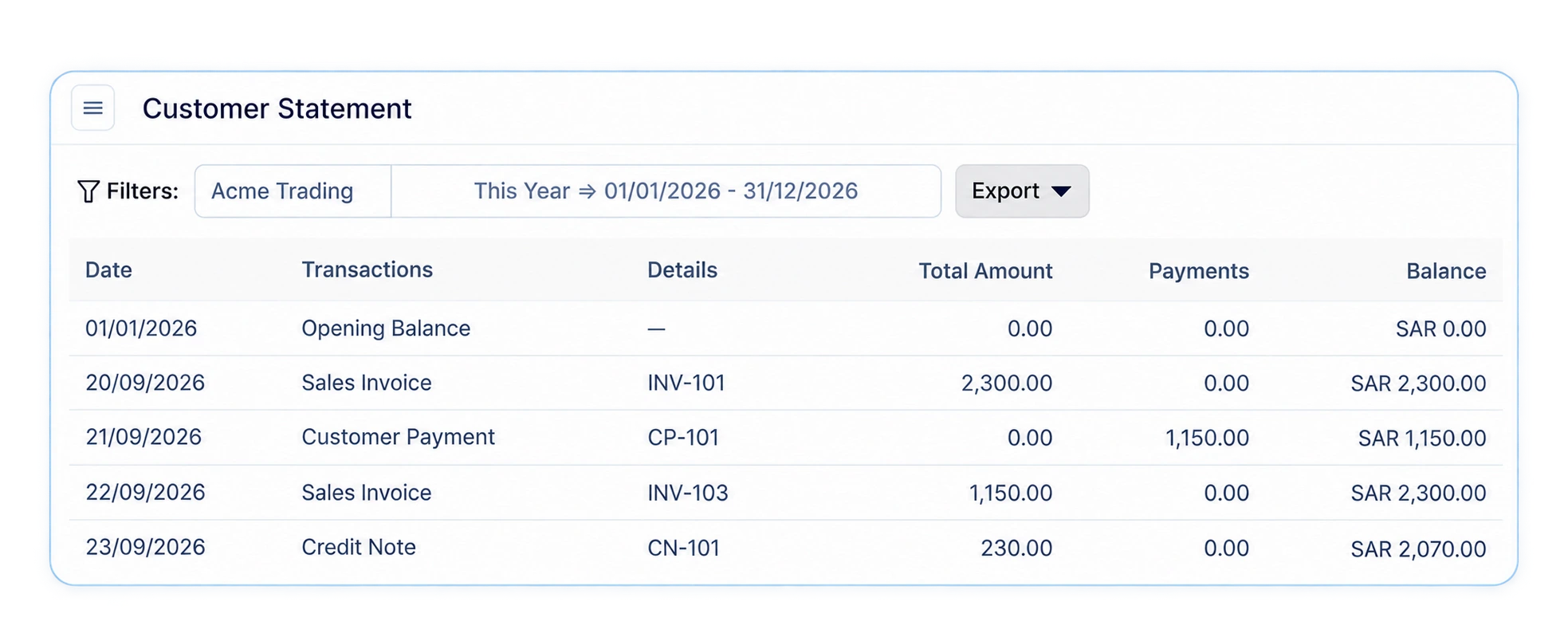
Review the opening balance, sales invoices, customer payments and credit notes in date order. See how each transaction changes the amount the customer owes.
Transaction descriptions and references sit beside amounts, payments and the running balance.
Select a customer and period, then export their statement to support account reviews and payment conversations.
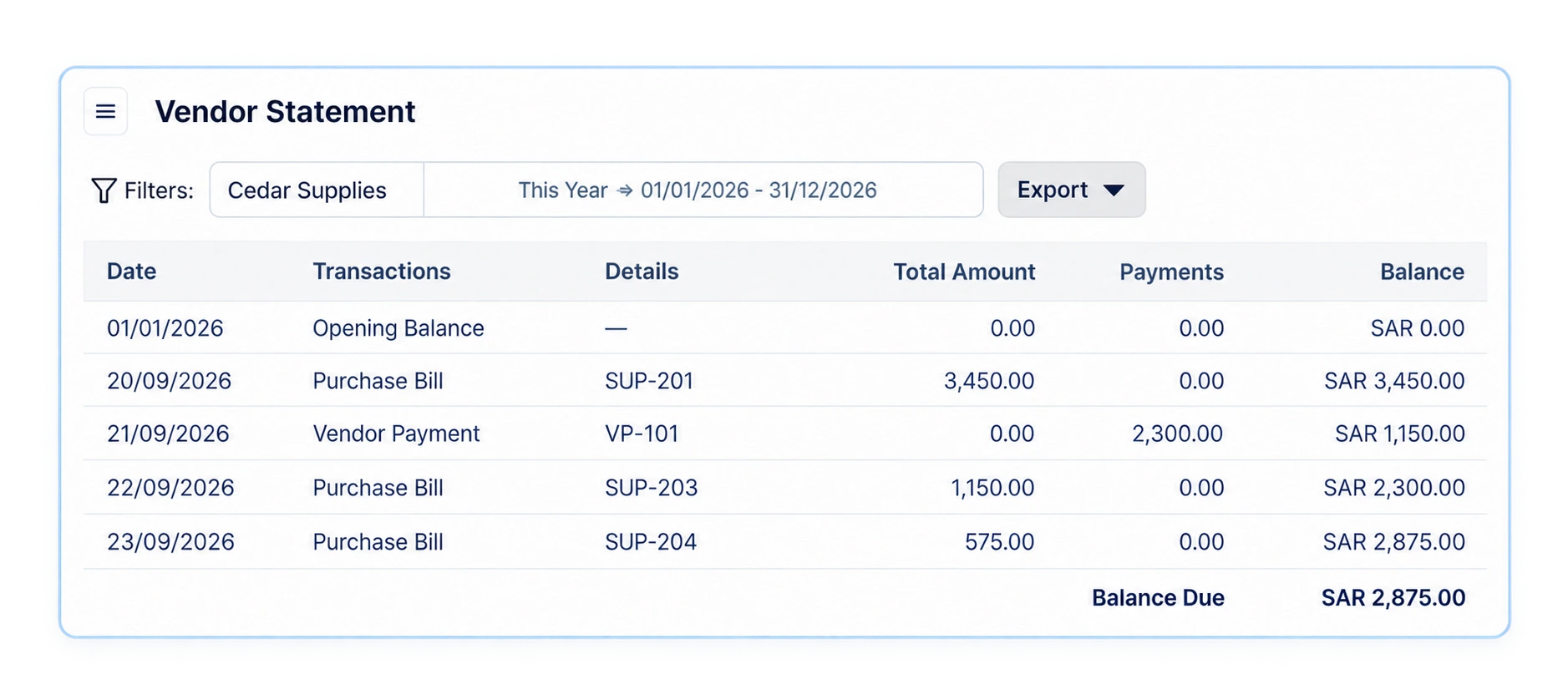
Follow purchase bills and vendor payments from the opening balance through to the balance due. Keep the history of one supplier’s account in a single view.
Review how each purchase bill and payment contributes to the running account balance.
Choose a vendor and date range, then export the statement for your supplier account review.
Review transactions as grouped debit and credit entries. Follow account names, transaction references and totals to understand the accounting detail behind invoices and payments.
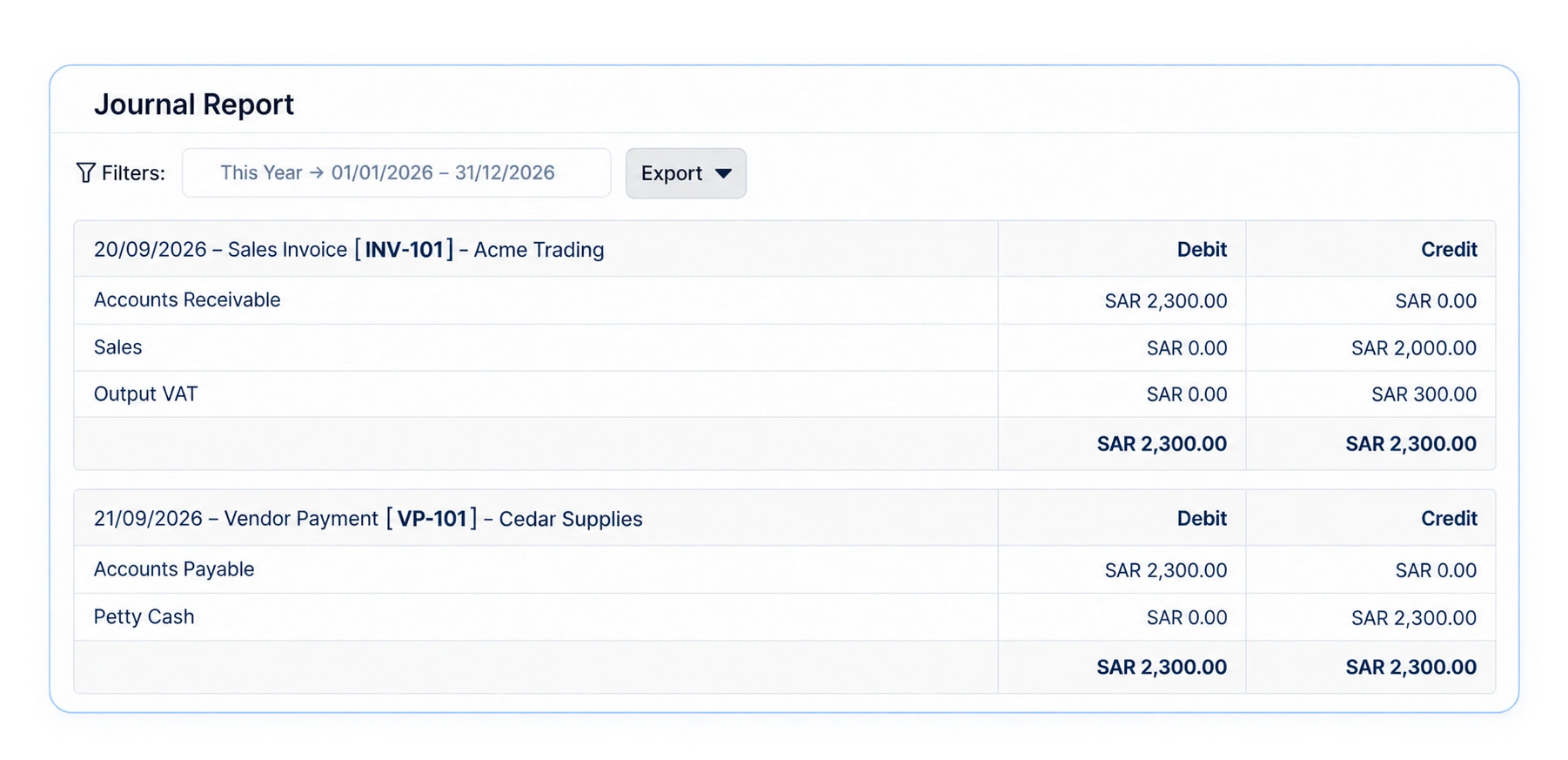
Identify each group by its date, transaction type, reference and customer or vendor details.
See the accounts involved, the amount on each side and the totals for the transaction group.
Select a reporting period and export the journal report for further review.
Explore dedicated report categories across your financial and day-to-day business records.
Review your finances through Profit and Loss, General Ledger, Trial Balance and Balance Sheet reports.
Find tax-related reporting in its own dedicated report category.
Access reports focused on cash and bank accounts alongside your other financial reporting.
Explore the report category dedicated to your item records.
Find additional reports organized around your customers and suppliers.
Access dedicated search-report categories for sales and purchasing.
Exact feature availability by platform is TBD.
Compare platformsEverything you need to know to manage your business smarter, all in one place.